This update brings some improvements:
> Improve PDF to Word format conversion, including pages, fonts, and paragraphs, etc.
> Improve PDF to HTML, PDF to Excel.
> General performance and stability improvements.
Requires Ubuntu 18.04 LTS, CentOS 6.8, Debian-12.6.0 and other Linux Release Version or later.
⚠️ What Flyingbee PDF Conversion SDK Does?
It is a flexible, high-performance PDF to MS Office (.docx, .xlsx, .pptx) conversion library for Windows, Linux, and Web. It helps to convert PDFs into Word, PowerPoint, Excel files, convert them into editable and well formatted documents, and accurately preserve the original text, images, layouts, hyperlinks, tables, and Bezier graphics
-----------------------------------------------------------------------------
🎉 Introduce how to deploy and use the PDF converter SDK on Linux systems, including system requirements, font installation, and usage instructions
➡️ https://www.flyingbee.com/pdf-sdk/documentation/guides/server-linux/
-----------------------------------------------------------------------------
-----------------------------------------------------------------------------
🎉 Quick Start Guide
-----------------------------------------------------------------------------
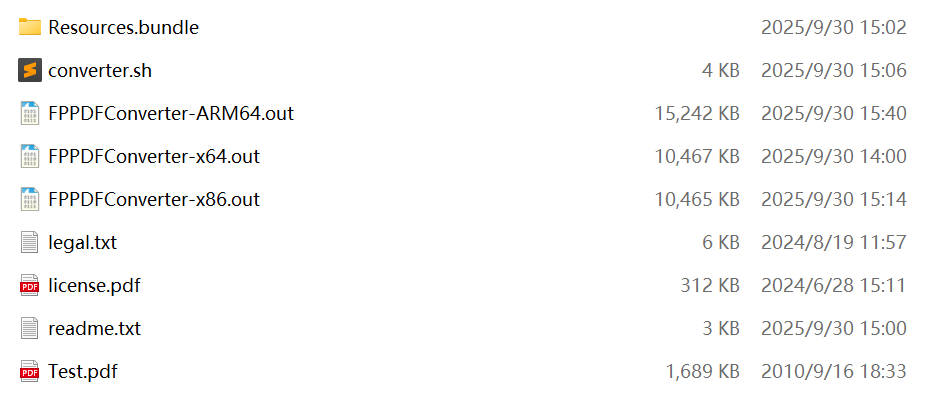
1. Entering the Executable File Directory
$ cd "/home/peter/FPPDFConverter-Folder/"
2. ✅ Granting Executable Permission
$ chmod +x FPPDFConverter.out
3. 🔄 execute command
$ ./FPPDFConverter.out -h
$ ./FPPDFConverter.out -a PDF2Files -i "Test.pdf" -f docx -p all
-----------------------------------------------------------------------------
📦 PDF Converter
-----------------------------------------------------------------------------
This command can convert all PDF files under the folder into Word files.
You can customize and modify the source folder and output format in this script.
1. Entering the Executable File Directory
$ cd "/home/your-name/script-folder/"
2. ✅ Granting executable permissions
$ chmod +x converter.sh
3. 🔄 execute command
$ ./converter.sh
----------------------------------------------------------
------ SUPPORT -------------------------------------------
Should you have any questions pertaining to the above information, kindly reach out to Flyingbee Support directly through:
Email: support@flyingbee.com
https://www.flyingbee.com/contact-us/
----------------------------
 United States



 PDF Printer
 Air Printer
 PDF Scanner
 Photo to PDF
 Flyingbee Reader
 PDF Merger
 PDF Splitter
 PDF Compressor
 PDF Password Remover
 PDF Encryptor
 PDF Converter
 PDF to Word
 PDF to Powerpoint
 PDF to Excel
 PDF to Text
 PDF to JPEG