If you have any questions, issues or suggestions, feel free to contact us:
Email: support@flyingbee.com

Due to some restrictions, you need to manually set the printer driver to support flyingbee advanced AirPrint's PDF printing. Here are the steps to follow

https://apps.apple.com/app/print-to-pdf-printer-app/id1639234272
 Quick Start Guide: How to Add a printer to your printer list so you can use it on Mac?
 User issue:
Natalia: "However, when I try to print from Adobe Acrobat, the system shows a message indicating that part of the printer software is missing, and it suggests contacting the printer manufacturer to obtain the most recent compatible software."
Sandra: "Using MacBook Pro running MacOS 14.7.1 Sonoma. Successfully used the trial version of 'Print to PDF'. Hit to trial limit. Purchased the upgrade. Now getting an error "Software Missing""
Thomas: "I receive the error in print center: Software for the printer is missing. Contact the manufacturer for latest compatible software. I uninstalled and reinstalled from the App Store and had the same result."
Firstly, it is still possible to successfully print, you can ignore the warning and use default Postscript driver to print, or let's fix it the warning and replace with a better driver now...
Secondly, due to some restrictions, the "Flyingbee Print to PDF" Advanced driver is removed by default, you need to set the printer driver to support flyingbee advanced PDF printing manually.
 Finally here are the steps to follow:
1. Adding a ",image/urf" printing format(Pay attention to separating with commas).
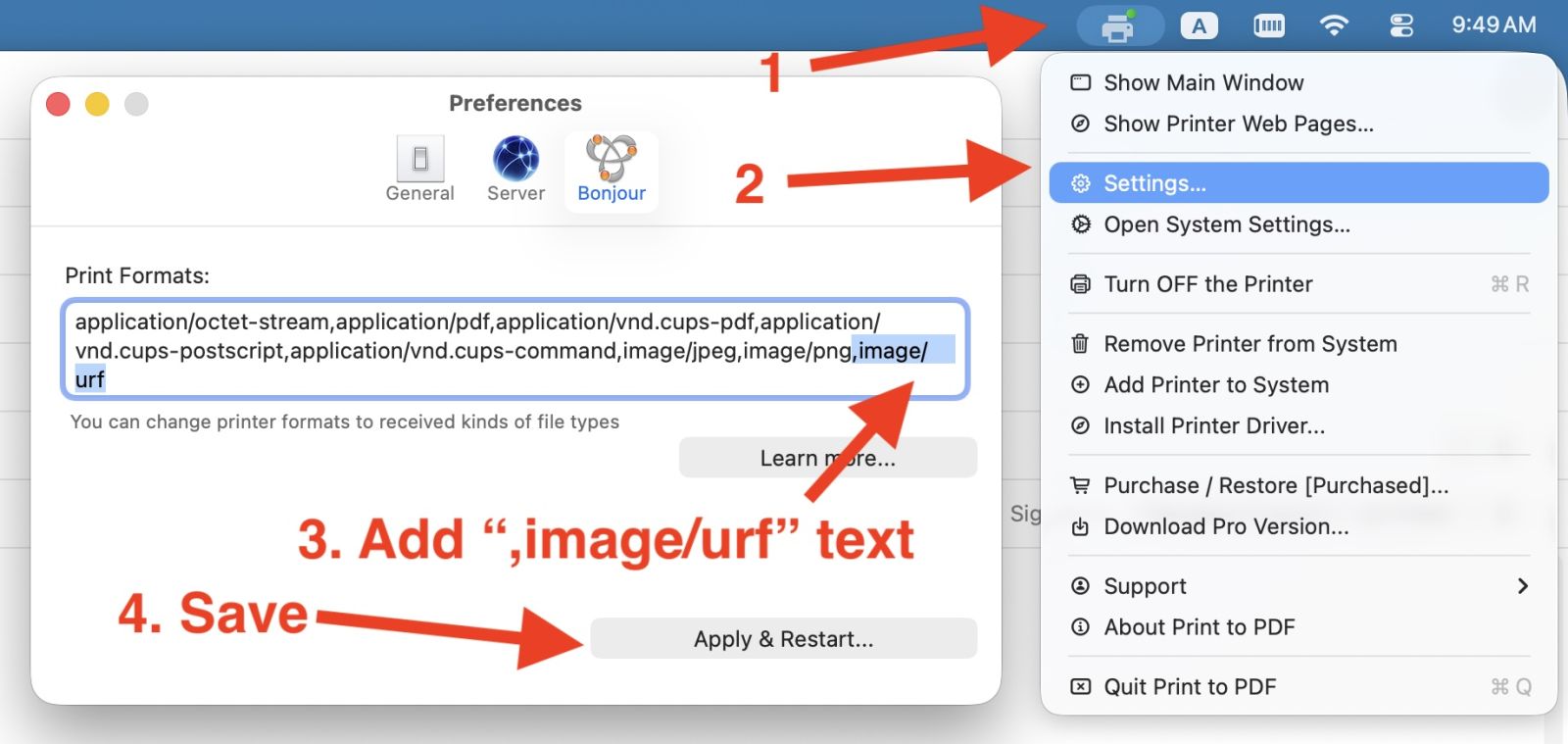
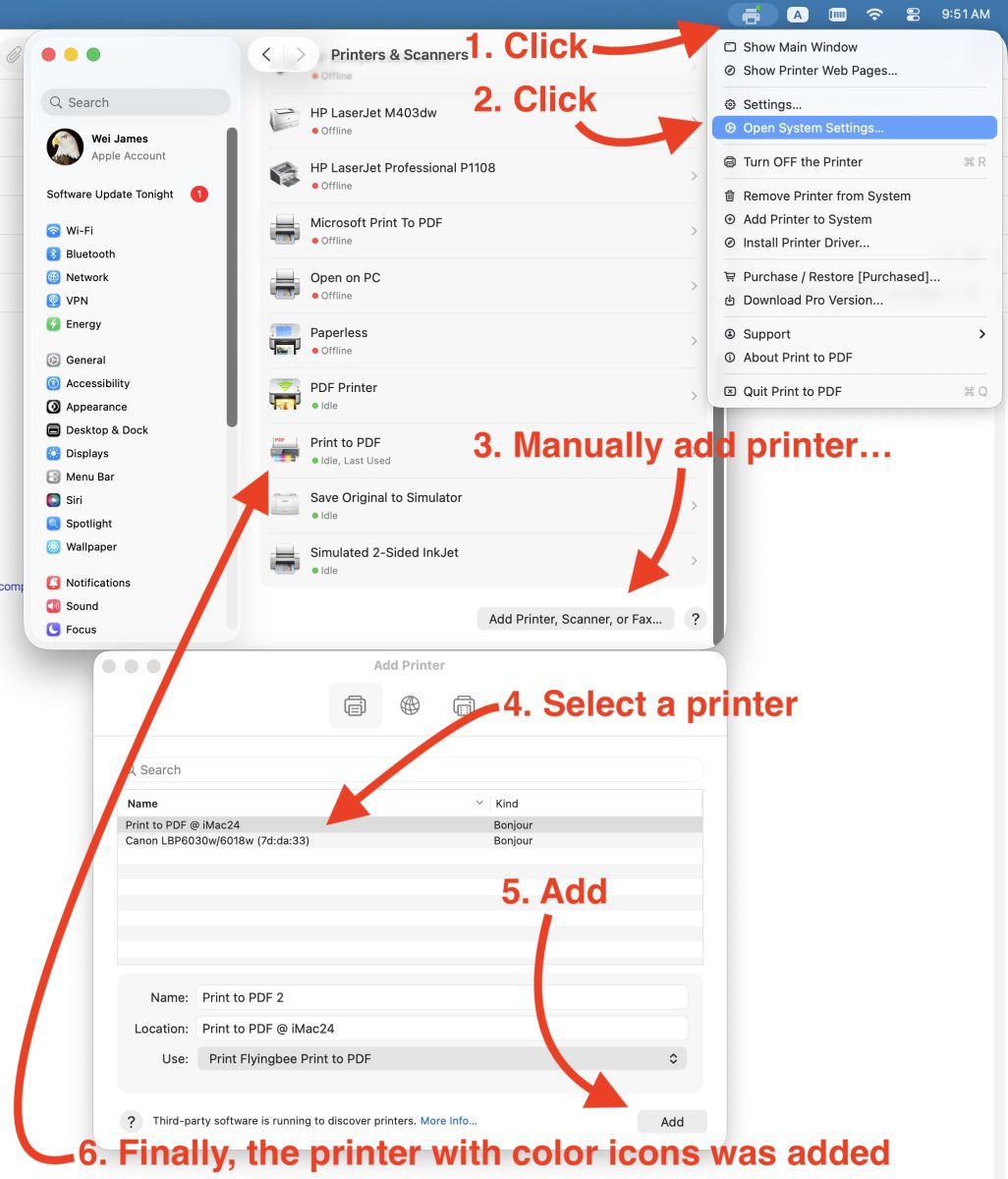
2. Add printer to system by youself.
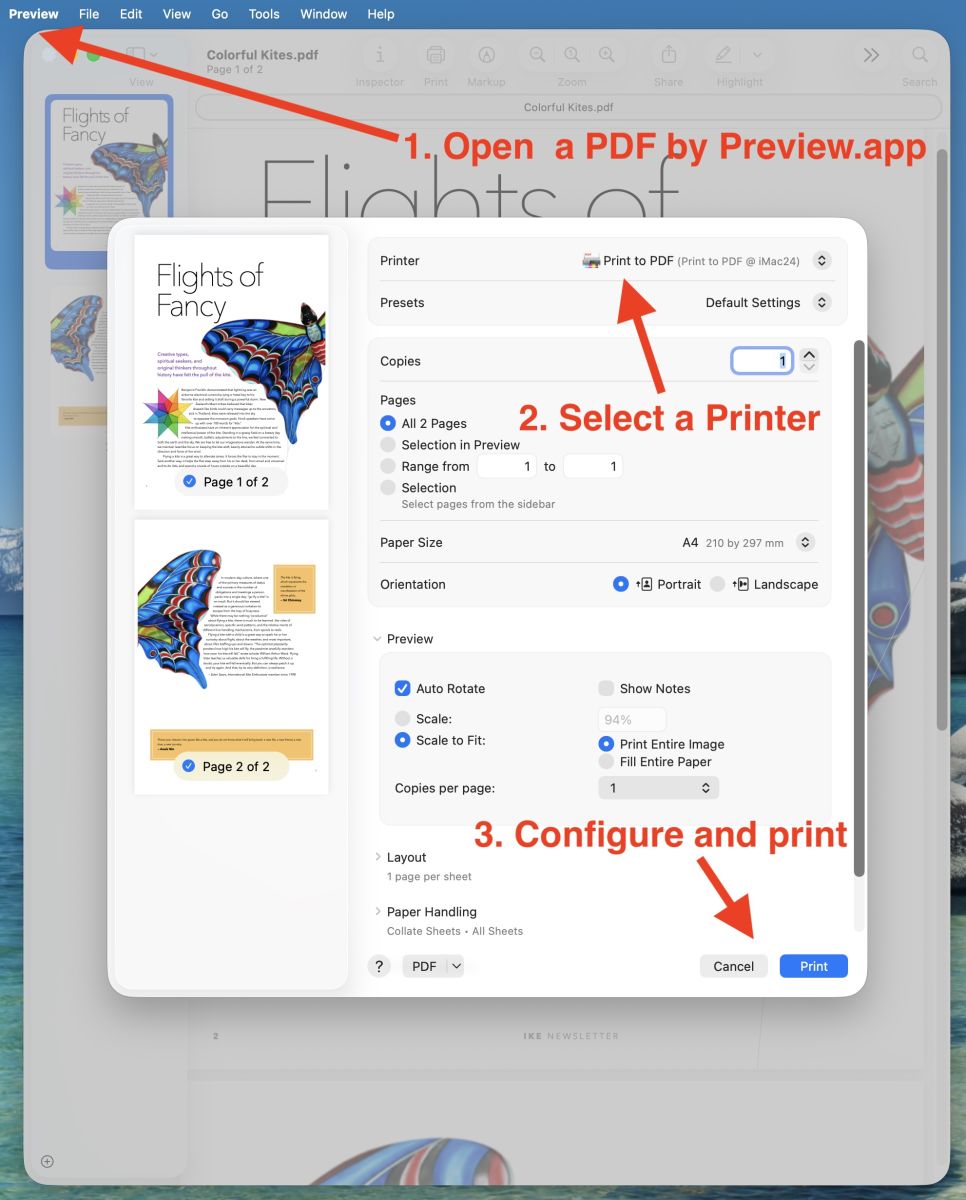
3. Use Preview.app to test printing.
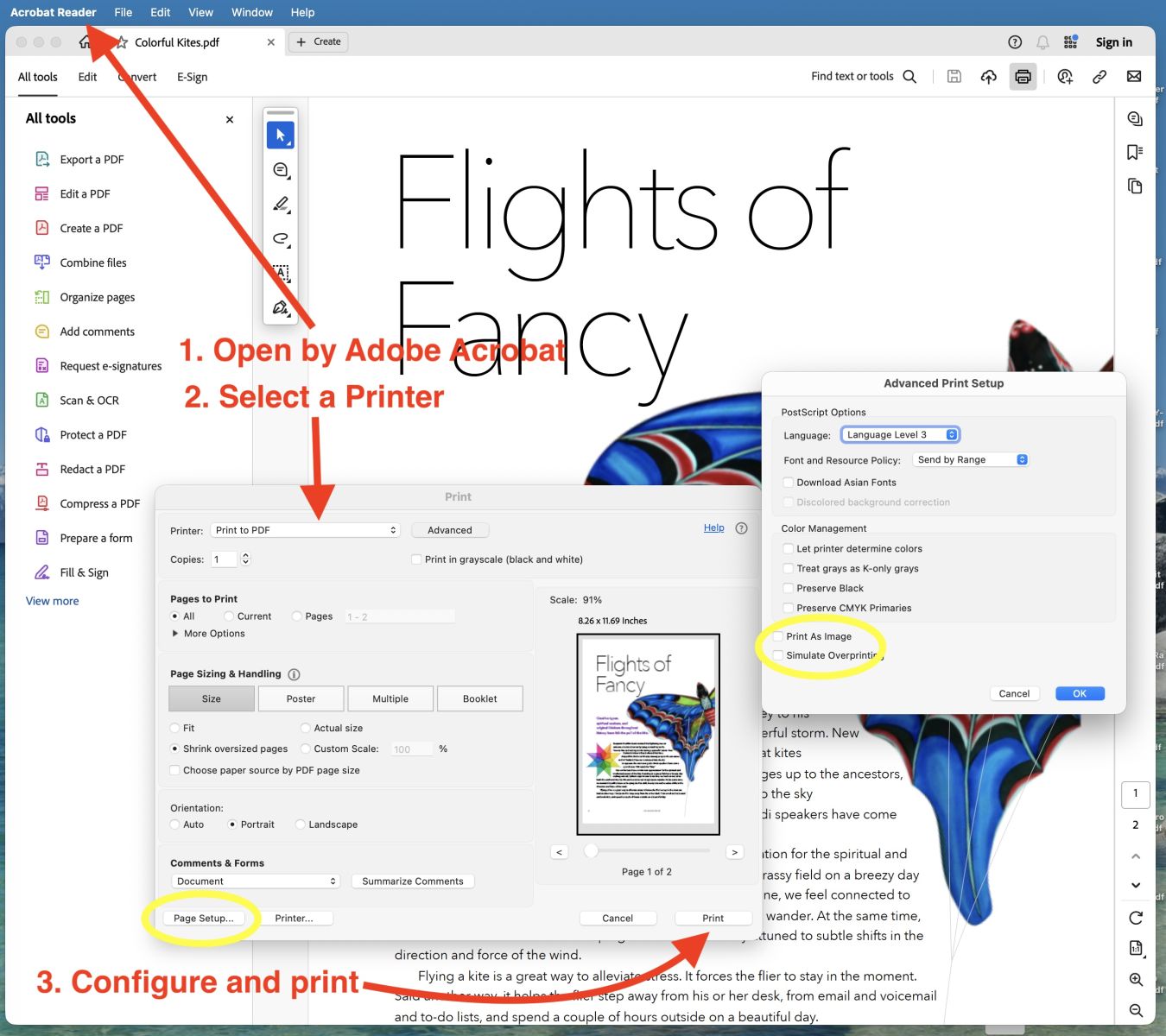
4. Use Adobe Acrobat Reader.app to test printing

Flyingbee Software
Creative Products
Online Store
Social Connections
 United States
We uses cookies to give you the best experience, analyze traffic, and personalize content. By continuing using our Site, you agree to our use of cookies. The information collected might relate to you, your preferences, or your device, and is mostly used to make the site work as you expect it to and to provide a more personalized web experience. However, you can choose not to allow certain types of cookies, which may impact your experience of the site and the services we are able to offer. Read our Privacy Policy or manage your cookie preferences. If you would like to submit an opt-out request with respect to your non-cookie personal information (e.g., your email address), find our support email address to opt-out of sale/sharing/targeting with respect to non-cookie personal information.



 PDF Printer
 Air Printer
 PDF Scanner
 Photo to PDF
 Flyingbee Reader
 PDF Merger
 PDF Splitter
 PDF Compressor
 PDF Password Remover
 PDF Encryptor
 PDF Converter
 PDF to Word
 PDF to Powerpoint
 PDF to Excel
 PDF to Text
 PDF to JPEG